
Essential Tech Checklist for Moving into Your New Home

Moving into a new home brings excitement and a long list of tasks. Among these, setting up your technology correctly can save you time, money, and frustration later. Whether you work from home, enjoy smart gadgets, or simply want reliable internet, knowing what to check before and after moving is key. This guide walks you through the most important tech considerations to ensure your new home is ready for modern living.
Check Internet Connectivity Options Early
Internet access is the backbone of most home technology. Before moving, research what internet providers serve your new address. Different providers offer varying speeds, prices, and connection types such as fiber, cable, DSL, or satellite.
Identify available providers by entering your address on their websites or using comparison tools.
Compare speeds and prices to match your needs. For example, if you stream 4K video or work remotely, aim for at least 100 Mbps download speed.
Ask about installation timelines to avoid delays. Some providers require appointments or special equipment.
Consider future-proofing by choosing fiber optic if available, as it offers faster and more reliable service.
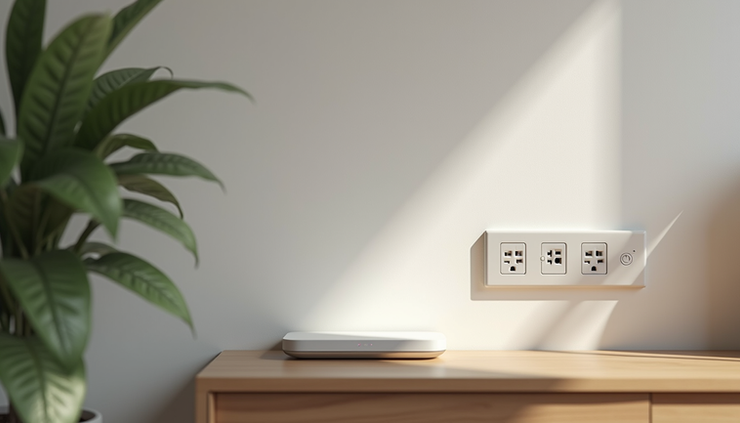
Once you have internet service, place your router in a central location to maximize Wi-Fi coverage. Avoid placing it near thick walls or metal objects that can block signals.
Confirm Smart Home Device Compatibility
Smart home devices like thermostats, lights, locks, and speakers improve comfort and security. However, not all devices work with every system or network.
Check your new home’s Wi-Fi network supports the devices you want to use. Most smart devices require 2.4 GHz Wi-Fi, while some newer ones also support 5 GHz.
Verify compatibility with your preferred smart home platform such as Google Home, Amazon Alexa, or Apple HomeKit.
Inspect existing smart devices if the home is pre-equipped. Confirm they are connected and functioning properly.
Plan device placement to ensure good Wi-Fi signal and ease of use. For example, smart thermostats should be installed where they can accurately read room temperature.
If you plan to add many smart devices, consider upgrading your router to one that supports multiple connections and has strong security features.
Assess Electrical Outlets and Power Supply
A new home’s electrical setup affects where and how you use your devices. Check the number, type, and location of outlets in each room.
Count available outlets especially in areas where you plan to set up electronics like home offices, entertainment centers, or kitchens.
Look for grounded outlets (three-prong) for safety and compatibility with surge protectors.
Identify any outlets controlled by wall switches to avoid unexpected power interruptions.
Consider adding power strips or surge protectors to protect sensitive electronics from voltage spikes.
Evaluate the need for additional outlets or rewiring if you have many devices or high-power equipment.
If you notice flickering lights or outlets that don’t work, have a licensed electrician inspect the wiring before moving in.
Review Security System Features and Options
Home security technology has advanced with cameras, alarms, and smart locks offering peace of mind.
Check if the home has an existing security system and whether it is active or transferable.
Evaluate the system’s features such as motion sensors, door/window sensors, cameras, and remote monitoring.
Decide if you want a professionally monitored system or a DIY setup. Professional monitoring often requires contracts but provides faster emergency response.
Test all components to ensure they work properly before moving in.
Consider adding smart locks or video doorbells for added convenience and security.
Make sure your security devices integrate with your home network and smart home platform if you use one.
Plan Your Home Office Setup Carefully
With remote work becoming common, a well-planned home office is essential.
Choose a quiet, well-lit room with enough space for your desk, chair, and equipment.
Check for sufficient electrical outlets near your desk for computers, monitors, printers, and chargers.
Ensure strong Wi-Fi or wired internet access in the office area. Running an Ethernet cable can provide more reliable connectivity.
Invest in ergonomic furniture and cable management to create a comfortable and organized workspace.
Set up backup power options like an uninterruptible power supply (UPS) to protect your work during outages.
Test your internet speed and device connections before starting work to avoid disruptions.
Practical Tips for Efficient Technology Setup
Label cables and devices during setup to simplify troubleshooting later.
Use a network map app to identify Wi-Fi dead zones and optimize router placement.
Keep firmware and software updated on all devices to improve security and performance.
Secure your Wi-Fi network with a strong password and consider setting up a guest network for visitors.
Backup important data regularly using cloud services or external drives.
Create a charging station in a central location to keep devices powered and organized.
Taking these steps early can prevent headaches and help you enjoy your new home’s technology from day one.


Comments