
Professional RV Starlink Installation: Key Techniques for Seamless Roof Mounting and Cable Routing
- Chris Dudley

- May 7
- 4 min read
Getting reliable internet on the road is no longer a luxury but a necessity for many RV owners. Starlink, with its high-speed satellite internet, has become a popular choice for travelers seeking connectivity in remote areas. However, installing Starlink on an RV roof requires more than just placing the dish and plugging in cables. A professional installation ensures the system works efficiently, lasts longer, and avoids common pitfalls that can disrupt your connection or damage your vehicle.
This post explores the key techniques for roof mounting, cable routing, weatherproofing, and avoiding obstructions. It also highlights why hiring professionals can save you time, money, and headaches.
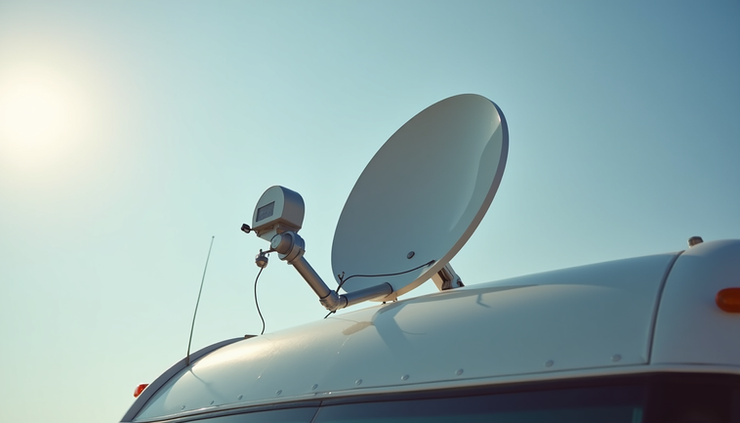
Roof Mounting Techniques for RV Starlink
Mounting the Starlink dish on an RV roof is not as simple as it sounds. The roof surface varies by RV model, and improper mounting can lead to damage or poor signal reception. Here are some essential techniques professionals use:
Choosing the Right Mounting Location
The dish needs a clear view of the sky, ideally with minimal obstructions like vents, antennas, or air conditioners. Professionals assess the roof layout to find the optimal spot that balances signal strength and structural integrity.
Using a Stable Mounting Base
Starlink dishes require a stable base to avoid movement caused by wind or RV motion. Professionals often use heavy-duty brackets or custom mounts designed for RV roofs. These mounts distribute weight evenly and reduce stress on the roof surface.
Securing the Mount Without Roof Damage
Drilling into the roof can cause leaks if not done correctly. Experts use sealants and waterproof gaskets around mounting holes. Some prefer adhesive mounts or magnetic bases for temporary setups, but these are less reliable for long-term use.
Ensuring Proper Dish Alignment
The dish must be level and securely fastened to maintain a consistent connection. Professionals use tools like bubble levels and alignment apps to position the dish precisely.
Effective Cable Routing for Longevity and Safety
Cable management is often overlooked but critical for a clean, safe, and durable installation. Poor cable routing can lead to wear, signal loss, or even electrical hazards.
Planning the Cable Path
Professionals plan the shortest and safest route from the dish to the interior modem. This often means routing cables through existing roof vents or wall penetrations to avoid unnecessary holes.
Using Weatherproof Cable Glands and Conduits
Where cables enter the RV, weatherproof glands prevent water intrusion. Protective conduits shield cables from UV rays, abrasion, and rodents.
Securing Cables Along the Roof
Cables are fastened with clips or ties to prevent flapping in the wind, which can cause damage over time. Professionals avoid tight bends that could break internal wires.
Labeling and Testing
Clear labeling helps with future maintenance. After installation, professionals test the cables for signal integrity and check for any interference.
Weatherproofing Methods to Protect Your Investment
RV roofs face harsh conditions: rain, snow, sun, and temperature swings. Proper weatherproofing extends the life of your Starlink system and prevents costly repairs.
Sealing All Penetrations
Every hole drilled for mounts or cables is sealed with high-quality silicone or polyurethane sealants. This prevents leaks that could damage the roof or interior.
Using UV-Resistant Materials
Cable jackets, mounts, and sealants must resist UV degradation. Professionals select materials rated for outdoor use to maintain performance over years.
Adding Protective Covers
Some installers add small covers or shields over cable entry points to divert water and debris.
Regular Inspection and Maintenance
Professionals advise RV owners to inspect seals and mounts periodically, especially after storms or long trips.
Common Obstruction Issues and How to Avoid Them
Obstructions can block the Starlink dish’s view of the sky, causing signal drops or slow speeds. Common issues include:
Roof Equipment
Air conditioners, vents, solar panels, and antennas can block the dish’s line of sight. Professionals map out these obstacles and position the dish accordingly.
Nearby Trees and Buildings
When parked, trees or structures can interfere. Professionals recommend scouting locations or using portable mounts when necessary.
Temporary Obstructions
Items like awnings, flags, or satellite TV dishes can cause interference if placed too close.
Vehicle Movement
RV tilt or rocking can temporarily block the dish. Secure mounting and proper alignment reduce this risk.
Tips to Avoid Temporary Tripod Headaches
Many RV owners start with a temporary tripod mount for Starlink, but this setup often causes frustration.
Stability Issues
Tripods can tip over in wind or uneven ground, risking damage to the dish.
Setup Time
Aligning the dish each time takes time and patience.
Cable Management
Tripods often leave cables exposed and vulnerable to damage.
Legal and Safety Concerns
Tripods may not be allowed in some campgrounds or can create tripping hazards.
Professionals recommend investing in a permanent roof mount or a well-designed portable mount with weighted bases and cable protection to avoid these headaches.
Why Hiring Professionals Makes a Difference
DIY installations might seem cost-effective but often lead to problems that require costly fixes. Professionals bring:
Experience and Expertise
They understand RV structures, Starlink requirements, and local weather conditions.
Proper Tools and Materials
Professionals use specialized mounts, sealants, and cable management systems designed for RVs.
Time Savings
A professional installation takes a few hours, while DIY attempts can drag on for days.
Warranty and Support
Many installers offer guarantees and post-installation support.
Peace of Mind
Knowing your system is securely installed and weatherproofed lets you focus on enjoying your travels.

Comments